
Apps
Jaresta File Transfer
Phone ⇄ computer, directly over your Wi-Fi
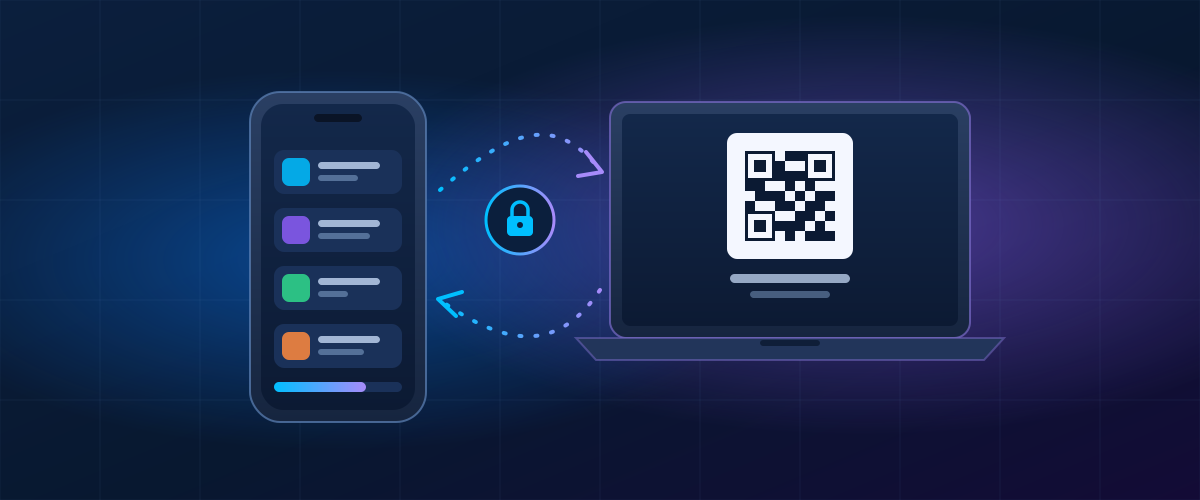
Send photos, videos, music and documents between your phone and computer. Scan a QR code, approve the connection, and files travel directly between your devices, never through a server.
For TestFlight testers only: this test page pairs only with the iPhone test version (TestFlight).
The public web app is coming soon at filetransfer.jaresta.com.
Highlights
Jaresta File Transfer is in testing. Features are being verified on real devices; this page is updated when the store versions are released.
QR code pairing
Scan the one-time QR code on your computer with your phone, or connect with the 6-digit code. You approve every connection.
Encrypted peer-to-peer
Files travel directly between your devices over an end-to-end encrypted WebRTC (DTLS) link and are never uploaded to a server.
Many files at once
Send photos, videos, music and documents in one go, phone to computer or computer to phone. Every file is checked with SHA-256.
Nothing to install
A current browser on Windows, macOS or Linux is all you need: no program to install on the computer and no account.
How it works
Open the web app
On your computer, open the web app from this page.
Scan the QR code
In the phone app, tap “Connect with QR code” and scan the one-time code.
Approve and send
Allow the device on your computer, then send files in either direction.
Platforms and availability
On your computer (Windows, macOS, Linux)
Test versionNothing to install: open the web app in a current browser such as Chrome or Edge. A one-time QR code appears on the screen.
iPhone app
TestFlight testComing soon to the App Store.
Testers: open Jaresta File Transfer from the TestFlight app, tap “Connect with QR code” and scan the code on your computer.
Android app
Coming soonComing soon to Google Play.
Privacy and security
- File contents and file names are never uploaded to any server.
- The connection is encrypted end to end (WebRTC DTLS) and every file is checked with SHA-256.
- No account is needed, and the web app shows no ads.
- The web app asks for your approval for every incoming group of files and does not keep file names in its history by default.
Both devices must be able to reach each other directly, usually on the same Wi-Fi. Some guest, office or public networks block this; files are never routed through a relay instead.
Privacy and terms
The documents for Jaresta File Transfer are published in the web app and open in your language where available.
- Platforms
- iPhone, Android, web browser
- App languages
- 18 languages
- Price
- Planned: free with ads, optional one-time Premium · the web app has no ads
Jaresta File Transfer is developed and published by Anıl Erdoğan under the JARESTA brand.
← All apps